ACID (and Schema)
ACID
A well-designed, trustworthy database should adhere to ACID properties. These are:
- Atomicity
- Consistency
- Isolation
- Durability
In the following activity, we will explore these ideas as well as take a peek at Transaction Control Language (TCL).
We will design a simple money transfer app for ACID Bank.
The activity will use PHP but you should be able to follow even if you are a PHP newb.
1. Conceptual Schema
Before even thinking about XAMPP and SQL, database designers need to consider the entities that will exist in their database and the relationships between them.
A model, often called Conceptual Schema or Conceptual Model, is produced, usually in the form of an Entity Relationship Diagram.
Here is the conceptual schema for the database we will be working on:

We can see that:
- There are 3 entities that need to be designed.
- There are clear relationships between the entities.
A conceptual schema is a great starting point for a database project!
2. Logical Schema
Now that the designers have agreed on the concept, it is time to identify all of the attributes/properties/fields of each entity.
It will also clarify primary and foreign keys.
The database designers have decided on this logical schema:
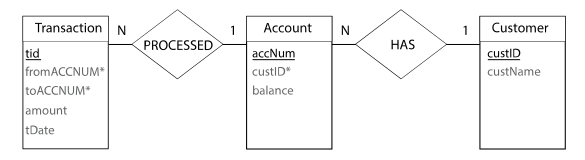
Note: primary keys are underlined and foreign keys have an asterisk, *
3. Physical Schema
Now that the designers have agreed on the properties, primarykeys and foreign keys, it is time to get physical and make it real using database software.
For that to happen, the designers will need to also determine the datatypes of each of the properties.
Here is the Physical Schema that the designers have agreed upon.

Note: before making big design decisions, starting with least detailed (conceptual) to most detailed (physical) schema allows designers to make key decisions before going into too much detail.
Database Setup
Let's continue to a practical activity and consider ACID properties.
In XAMPP, create a new database called BankApp
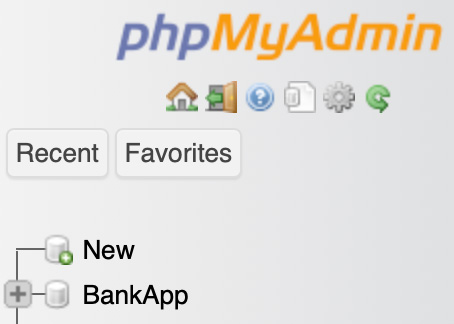
Using the above schema as guides, let's quickly create the three entities.
Copy/paste the code into the SQL box to create the three tables.
Once complete, double check that each table has a primary key (click structure after selecting a table).
App Setup
Make sure you have started the database server and the web server in XAMPP.
In XAMPP's control panel, click Open Application Folder:
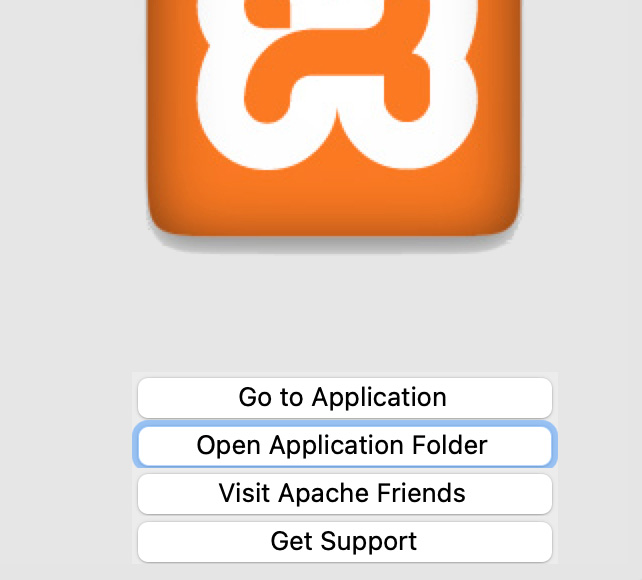
Navigate to the htdocs folder. This is where files on the server, localhost, are organised.
Create a subfolder called BankApp inside htdocs.
Create 2 files inside your project folder with the names below and copy/paste the code into the files.
Open your browser and type the following url: localhost/BankApp/bankApp.php
The app should open in the browser.
Worksheet Task
Follow the video and complete the worksheet:
Watch the video and complete the worksheet.
Pessimistic Locking
One strategy to guarantee isolation during multi-user database transactions is locking.
Click the button to review the Pessimistic Locking cycle presented in the video.
Bank App Challenge
If you play with the bank app you will notice that a (valid) account holder can transfer money even if (s)he doesn't have the required amount available.
Also, after a financial transaction successfully completes, the transactions table is not updated.
Can you figure out how to make the database consistent/valid after a database transaction/operation is completed?
Tags
ACIDpessimistic locking atomicity consistency isolation TCL durabilityDDL DMLCREATE ALTERUPDATE INSERT INTOBEGIN TRANSACTION COMMITROLLBACK