You are an animation designer. Timothy is still sick! You need to finish some project work for him. Follow the instructions below. Follow them carefully!
The project files you need can be found here:
Download the project files and save them in a new project folder - do not leave them in the downloads folder of your computer.
Open the angryBirds.fla project file in Adobe Flash Professional.
Lock all of the layers.
Open angrySounds.mp3 in your sound editing software eg Adobe Audition
Try to find some short Angry Bird sounds and export them as individual sound files (mp3 format recommended). Watch the video below if you are not sure how to do this.
Import your sound files into your Flash project.
At the start of the movie there are no sounds. When the birds meet, they start to talk. Use your sounds for this. Then, when the green bird leaves all of the sounds stop. The conversation is finished. Use your skills to make this happen. HINT - create a new layer for each sound file.
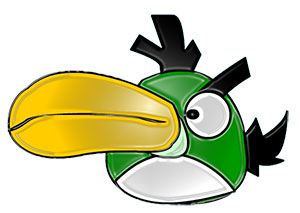
Lock all layers and create a new layer called "angryBird3". Draw this bird using Flash's drawing and coloring tools.

The YellowBird comes and meets RedBird and they have a conversation. Get some new sounds from angrySounds.mp3 and save them as individual files in your project folder. Import them into Flash and use them for the RedBird-YellowBird conversation. Use your animation design skills to make this happen!
At the end of the conversation, RedBird and YellowBird both leave the stage.
Save the project file and upload your folder to your Google Drive account.
Challenge! Now you have some serious animation skills. You know how to create layers and import sound. You know how to edit a sound file to save small pieces of it. You can draw! Now is a chance for you to test your skills and make a little animation using your own ideas. This should be a 30-40 minute challenge. Ask yourself - Am I ready for a project?
If you need more sounds, follow these steps:
Login to www.freesfx.com. The username is aavnsunbear and the password is sunbear
Find a sound that you want and download it. Remember to consider the length of the sound. Short sounds work well.
Find the sound in your downloads folder and copy it into your project folder.
Rename the file if it is too long!
In Flash, go to File - Import to Library and import your sound file.
Create a new layer and decide where you want the sound to play in the timeline!