
Objectives

Students will be able to:

  • understand that a program can take a different path depending on a condition
  • understand that an IF statement doesn't always have to have a ELSE
  • understand the concept of ELSE IF

Algorithms

An algorithm is a defined series of steps that must be followed in order to solve a problem.

Pseudocode

Often, program designers are amazing logical thinkers but are not experts on every programming language eg Java, Python, C++, C# etc

In big programming teams, program designers need to find a way to share a solution to a problem(s) with Java programmers, Python programmers, C++ programmers etc.

Pseudocode is often used. It looks like a programming language but it isn't really.

However, it can be understood by Java programmers who turn it into Java, Python programmers who turn it into Python, C++ programmers who turn it into....

Challenge

Plan Your Adventure Budget

You’re going on an adventure, and you need to plan your budget.

Your goal is to figure out how much you can spend on gear, food, and entertainment based on your available money.

Requirements

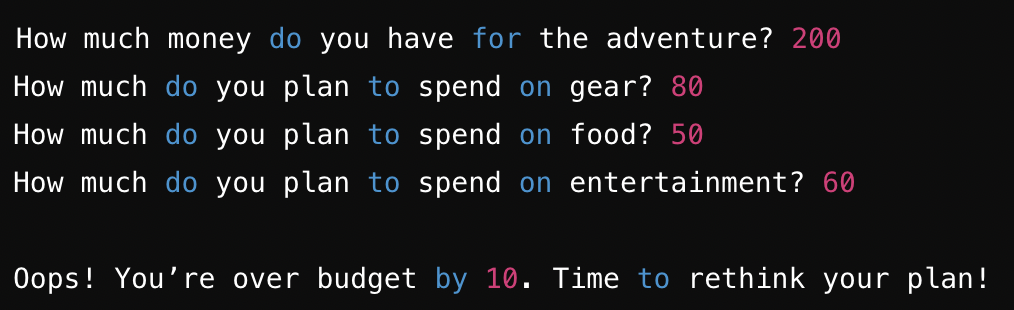
Ask the user how much money in total they have for the adventure.

Then ask how much they plan to spend on gear, food, and entertainment (as separate inputs).

Then evaluate the data as follows:

  • If the total spending is exactly equal to the available money, print: "Great! You’ve budgeted perfectly!"
  • Else if the total spending is less than the available money, calculate how much money they will have left and print: "You’re under budget by [amount]! Save it or splurge a little more!"
  • Else, calculate how much extra they would need and print: "Oops! You’re over budget by [amount]. Time to rethink your plan!"

Exception handling

  • The user enters a negative or zero values
  • The user enters a non-numeric values eg "abcd" when a number is expected

Allow the user to repeat the calculation or exit the program.

.
Submission

Submit your .py file into Google Classroom.
Selection

Paths

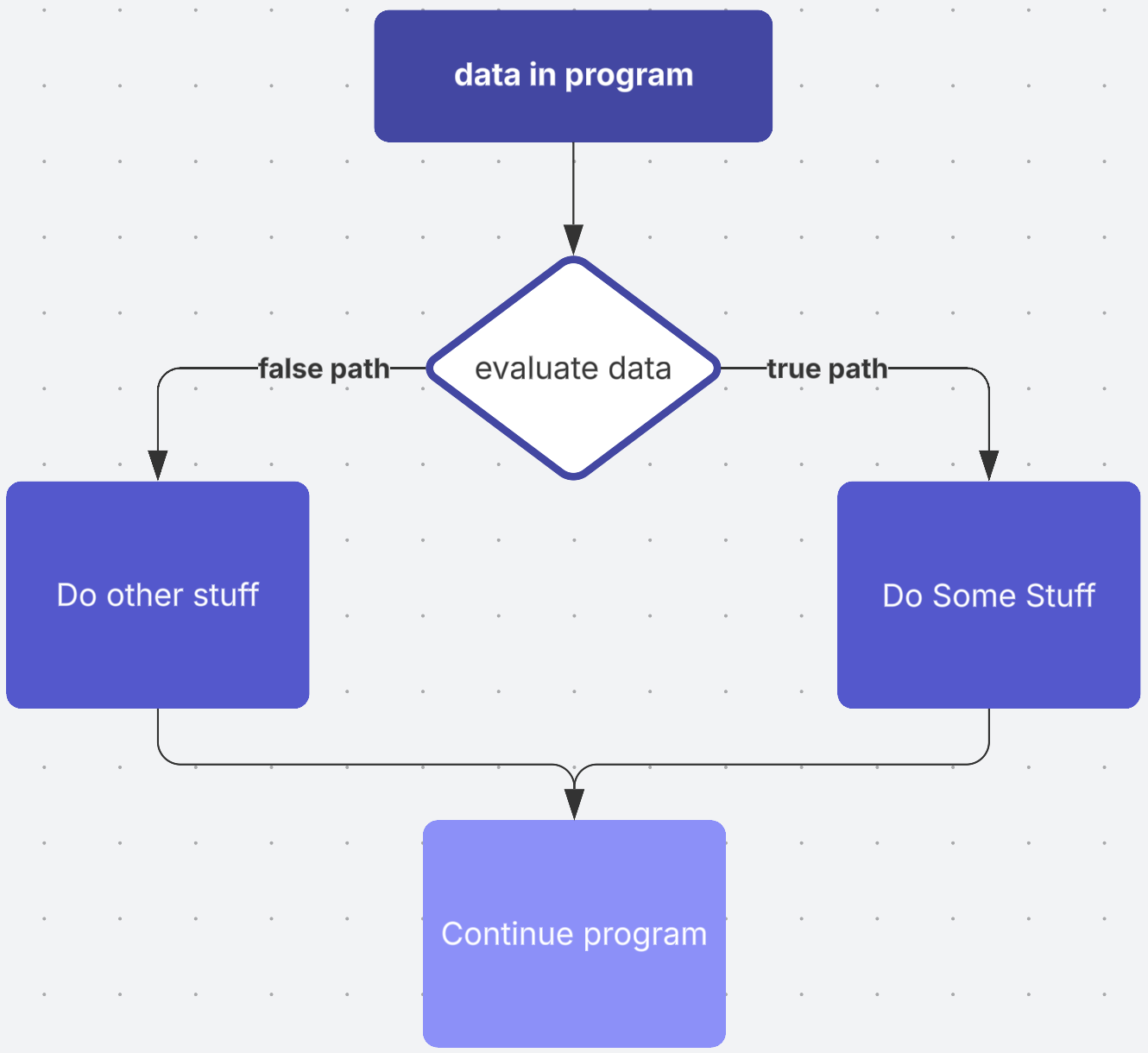
So far our are step by step and they always follow the same path from start to end. But sometimes a decision has to be made and different steps will be taken depending on the decision made.


if, else and elif

In Python we can use if, if/else and if/elif/else statements to evaluate data and create paths through a program.

Copy the starter code into your IDE and complete the worksheet.

Sample code

money = int(input("How much money do you have?"))

if money > 20:

print("Get a haircut.")

print("Buy a hat.")

print("Go to the cinema.")

else:

print("Watch tv.")


print("End of program.")

*note: End of program is not associated with the if/else logic. It will always be displayed!


SIMULATION

Relational operators

Relational operators are used to compare data when making decisions using if/else

Here they are:

Relational operator Description
> greater than
< less than
>= greater than or lequal to
<= less than or equal to
== the same as
!= not the same as

Tags

integratedsyntax development environment machine code translate type errorcompile