Hexadecimal
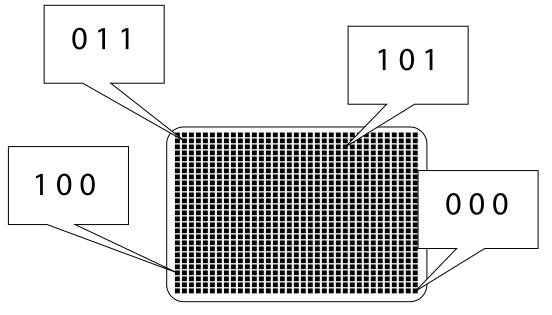
Imagine that we want to create a system for using binary numbers to store color data for every pixel on your computer monitor.
If we use 3 bits of computer memory to store color data for each pixel, how many23 = 8 possible colours can we choose from?
Obviously this is sufficient for modern computer monitors!
What if we used 1 byte of memory to store colour data for each pixel on our computer screen? How many28 = 256 possible colours can we choose from?
Still not enough!
Many computer systems use RGB technology to store color data - each color will have a Red component, a Green component and a Blue component.
In most situations, computers will use 1 byte of memory to store the red component, 1 byte to store the green component and 1 byte to store the blue component - so that's 24 bits which means how many224 = 16777216 possibilities. check here
WOW!
011101111100110100011110 is a 3 byte color code. The first 8 bits represent the red component, the second 8 bits represent the blue component and the final 8 bits represent the blue component. Plug it into the app above to see what color is being encoded.
It is a little hard for humans to deal with this - we are not great at quickly understanding binary numbers.
This binary number is 785129410 in decimal. This is also a tricky number to understand and remember. It is big!
To simplify how big binary numbers are represented to us humans, the hexadecimal number system is used. It is often referred to as base-16.
| Binary | Decimal | Hexadecimal |
|---|---|---|
| 0000 | 0 | 0 |
| 0001 | 1 | 1 |
| 0010 | 2 | 2 |
| 0011 | 3 | 3 |
| 0100 | 4 | 4 |
| 0101 | 5 | 5 |
| 0110 | 6 | 6 |
| 0111 | 7 | 7 |
| 1000 | 8 | 8 |
| 1001 | 9 | 9 |
| 1010 | 10 | A |
| 1011 | 11 | B |
| 1100 | 12 | C |
| 1101 | 13 | D |
| 1110 | 14 | E |
| 1111 | 15 | F |
Interestingly, using 4 bits, we can represent all of the 16 symbols used in the hexadecimal number system, sometimes called the base-16 number system. 4 bits are known as a nibble.
Let's convert a 24 bit binary RGB color code into hexadecimal:
0011 0101 1001 1100 1000 1111
0011 0101 1001 1100 1000 F
0011 0101 1001 1100 8 F
0011 0101 1001 C 8 F
0011 0101 9 C 8 F
0011 5 9 C 8 F
3 5 9 C 8 F
Starting from the right, simply split the binary number into nibbles and then convert each group of four bits to hexadecimal.
This is an example of an RGB color code represented in hexadecimal.
- 35 represents the RED channel color.
- 9C represents the GREEN channel color.
- 8F represents the BLUE channel color.
This is much easier to remmeber and use than 24 ones and zeros!
hexadecimaldecimal
Hey! Remember how a decimal number can be interpreted?
| 103 | 102 | 101 | 100 |
|---|---|---|---|
| 4 | 7 | 3 | 2 |
And binary to decimal?
| 23 | 22 | 21 | 20 |
|---|---|---|---|
| 1 | 0 | 1 | 1 |
But what about hexadecimal to decimal?
| 163 | 162 | 161 | 160 |
|---|---|---|---|
| A | 4 | E | 7 |
So, let's convert A4E716 to decimal (dernary or base 10):
(10 * 163) + (4 * 162) + (14 * 161) + (7 * 160)
(10 * 4096) + (4 * 256) + (14 * 16) + (7 * 1)
40960 + 1024 + 224 + 7
4221510
We do need to know how to convert between decimal, hexadecimal and binary. Let's do that later! Before that, let's mess around with hexadecimal color codes and draw a cat!
Task
Let's mess around with some hexadecimal color codes.
We are going to generate a color palette using the following color harmonies:
- complimentary
- monochromatic
- analogous
- split complimentary
- triadic
- tetradic

Click here to access the color calculator.
Click here to view the video hosted on Youtube.
The tutorial was taken from this series.




Food For Thought
So... 8 bits is a byte of information and 4 bits is a nibble! Colors are represented using 3 bytes of data, one byte representing the red component, one byte representing the blue component and one byte representing the green component.
Hexadecimal is used to represent color information. A nibble (4 bits) can represent every hexadecimal symbol, from 0000 (0) to 1111 (F). So, 2 hexadecimal symbols represent 1 byte of information! In Photoshop, when you see the color code 0C1FDD 0C represents the red component (or channel), 1F represents the green channel and DD represents the blue channel - an RGB color code!