Intro to data representation and Binary (Base 2) number system
Watch the video
Using the decimal number system, humans quickly recognise the following symbols.
There are 10 symbols. This is known as a base-10 number system. There is a sequence as the numbers express bigger and bigger quantities:
The simulation below shows how the decimal number sequence works.
Decimal Counter
Binary (base-2)
But what about computers. They are based on devices called transistors to process information. There are only 2 symbols available in the number system that they use. This is the binary number system, sometimes referred to as a base-2 number system.
These symbols are known as Binary Digits - bits
Video review
The video suggests that binary digits (bits) can be thought of as a light switch, either on or off.
Let's suggest that 1 light can store one bit which can only have one of two states: either 1 or 0.
In this situation, there are 2 possible combinations for the light to store. We can use this idea to represent possible information, like colors:
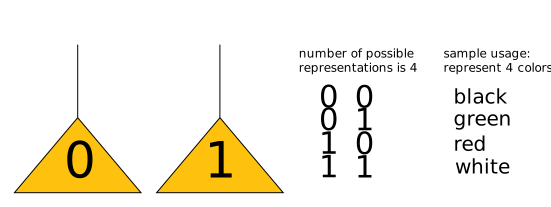
If 2 lights are available to store bits, there are 4 possible combinations. We can represent 4 different things, eg 4 colors.
If 3 lights are available to store bits, there are 8 possible combinations. We can represent 8 different things, eg 8 colors.
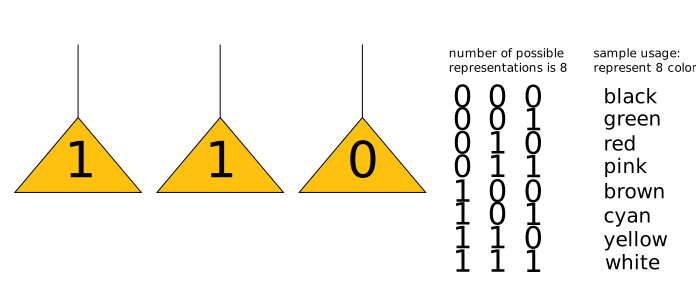
As you can see, the more lights/bits we have, the more combinations are possible:
| No. of lights | No. of combinations | |
|---|---|---|
| 1 | 2 | 21 |
| 2 | 4 | 22 |
| 3 | 8 | 23 |
| 4 | 16 | 24 |
| 5 | 32 | 25 |
| 6 | 64 | 26 |
| 7 | 128 | 27 |
| 8 | 256 | 28 |
Transistors
Of course, there are not millions and millions of lights in your computer storing all of those bits!
Tiny transistors do this job. These devices, like the lights, can only be in one of two states at any given time: 1 or 0.
Bytes
A collection of 8 bits is called a byte.
Computers generally store information as a set of 8 bits rather than as individual bits.
Nibbles
A collection of 4 bits is called a nibble. This is 1/2 a byte!
Here's a binary number! Computers are programmed to understand what this number represents. It is quite short and so it probably represents a letter of the alphabet.
But how can humans relate to these streams of 1 and 0 symbols? Is there a trick we can use to convert them into our number system (decimal) to give us a better understanding?
Binary Counter
Observations
- In the decimal system, the first number tells us how many 100 there are; the second number tells us how many 101 there are; the third number tells us how many 102 there are, and so on.
- In the binary system, the first number tells us how many 20 there are; the second number tells us how many decimal 21 there are; the third number tells us how many 22 are represented, and so on.
- We can use this knowledge to convert from binary to decimal.
- Converting from decimal to binary is equally straightforward. eg:

Task
Let's practice!
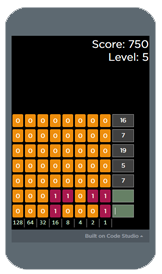
How good are you at converting binary to decimal and vice versa? Click the converter to play the super exciting binary-decimal converter game!
Food For Thought
The binary number system uses only ones and zeros. It is a base-2 system because there are only 2 possible states for any one bit of information. Us humans prefer decimal (sometimes called dernary) so it is useful to know how to convery from binary to dernary and vice versa.
convert