Focus 6
fundamental web design
STYLE CHALLENGE
Let's see if we can figure out how to style a webpage!
Task
Follow these steps and let's style a webpage.
1. Get organised
First, let's set up a project folder for Focus 6 inside your Web Design folder.
2. Downloads Part 1
Download this file. It is a web page that you will work on.
Save it in your Focus 6 project folder and open it in a text editor eg Sublime Text.


4. The <img> tag
In the web page document, find the comment about guitar.jpg and write a line of html to display the image in the correct place.

4. Main task
You are going to complete the design of the webpage. Open it in a browser - you can see it looks very bland. Let's give it some style!
| CSS style section guideline | description | |
|---|---|---|
| p | Make all p text color white and use the font-family comic sans ms. | |
| h1 | Make all h1 text orange color with a font-size of 48px. Also, style h1 elements to be text-align:center | |
| h2 | Make all h2 text yellow color and font-family Chiller. | |
| li | Make the bulleted list yellow with a font-size of 24px. | |
| design the .orange class | Design a class which will make elements that use it have a solid, orange border with a thickness of 2px. | |
| apply the class! | Apply the orang class to the image of the female pop star! |
Challenge
Figure out how to make club.jpg the background of the body. Yes! You can style the body tag! It should be non-repeating and cover the whole body of the webpage.
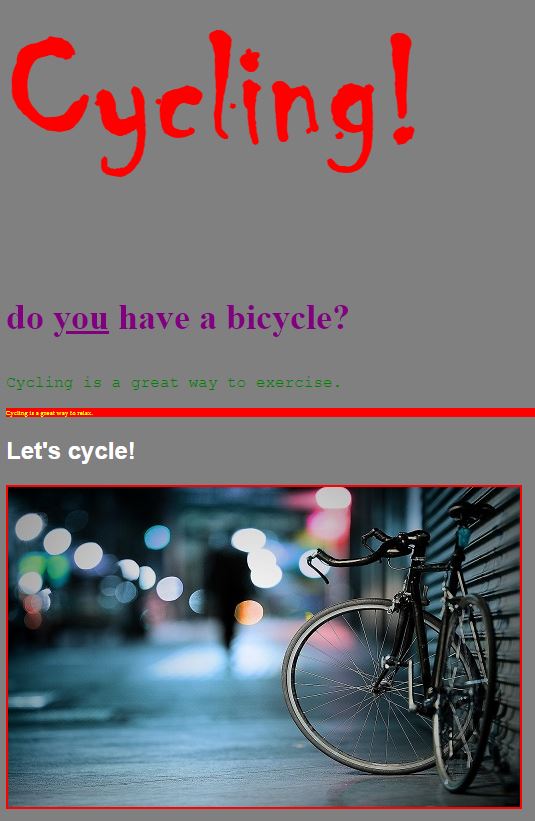
Your final page should look something like this:

SUBMISSION
Submit your project folder as instructed by your tutor.
Tags
browser file tags body save h1 html h4 h2 structure refresh h3 organised