
Digital Illustration
Focus 4 - The Pathfinder Panel
Another extremely useful feature of Adobe Illustrator is the Pathfinder panel. It is another tool that allows designers to manipulate shapes in different ways.
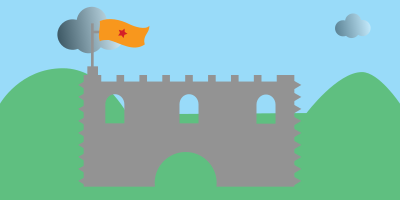
In this tutorial, we will make a simple scene and be introduced to some options in the Pathfinder panel.
Getting started
Follow the steps below and let's make a cool illustrated scene. Be creative - you can use your own colors and designs.
1. Get organised
You know what to do, right?!
2. Open Adobe Illustrator and complete this short video tutorial.
Be creative. Your scene does not have to be exactly the same as the one in the tutorial. Make sure you discover the Pathfinder panel, though.
You can download The King and include him in your design if you like.

It is an svg file and you can open it with Illustrator.
3. Extension
Use your Illustrator skills (shapes, pen tool, coloring etc) and ideas from the Pathfinder video to create a more detailed castle scene. Challenge your creativity - you can add extra characters to the scene if you have more time!
4. File Formats
When you save an Adobe Illustrator file, the format is .ai
Save your file as castle.ai - this is your project file.
Let's also save the image so that we can post it onto instagram or Facebook.
Export the image in jpg format and save the image as castle.jpg in your project folder.
SUBMISSION
Submit your project folder as instructed by your tutor.
Tags
path anchor point pathfinder shape illustration color illustrator software digital application merge professional properties convert