
You are a secretary working in a school in Nottingham, England..
The results of a recent survey have arrived and you have to format the document to make it readable.
The two files you need can be found here:
Follow these instructions carefully:
Create a new folder on your computer called SampleAsessment1
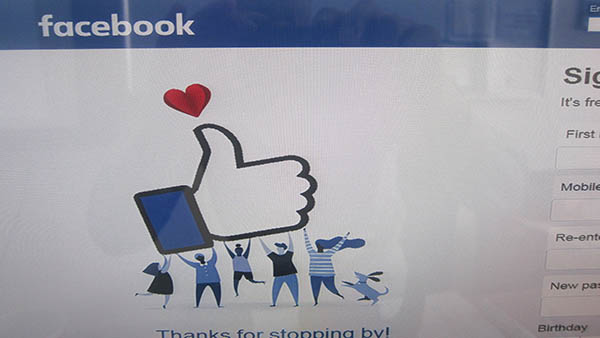
Download the image and save it in your SampleAssessment1 folder - do not leave it in the downloads folder of your computer.
Copy the suvery results in a document production application, eg MS Word.
Set the page size to A4.
Set the orientation to landscape.
Set the top, bottom, left and right margins to 2cm.
Place your name in the header, left-aligned.
Place an automated page number in the footer, center-aligned.
Enter this title at the start of the document: How teenagers spend their vacations
Set the font size of the title to 26 point.
Align the title so that it is in the center of the document.
Enter "- by your name" under the title.
Set the font size of the subtitle to 18 point and make it right aligned.
Format the body text (after the subtitle) as follows:
- Font size: 18 point
- 2 equally spaced columns
- justified alignment
- double line spacing
Find the three survey questions in the text and make them italic.
Download the image and save it in your own project area.
Insert the image into the paragraph starting "15% of respondants said..."
Crop the image so that only the hand, the heart and the characters holding the hand are visible.
Resize the image so that it fits a half of the column width. Maintain the aspect ratio.
Make sure the paragraph text wraps around the image.
Find the the first occurence of the word "Viber" and make it a hyperlink to www.viber.com
Spellcheck the document.
Save your document. Name it "Teen Vacation Survey" and save it in Word document format eg .doc or .docx. DO NOT SAVE IT AS PDF or an image format like PNG or JPG.
Upload your SampleAssessement1 folder to Google Drive.
Copy the shareable link to the folder in Google Drive.
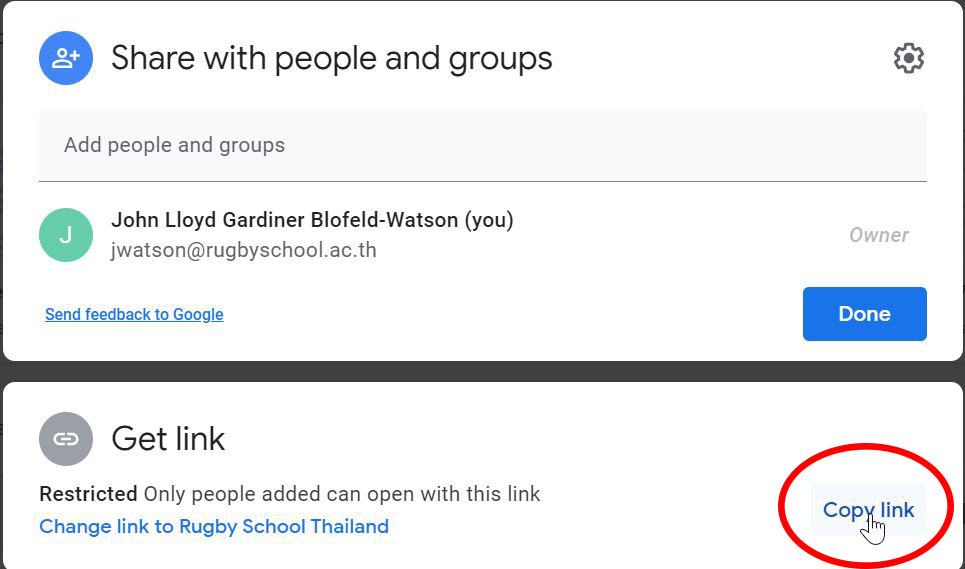
Submit the link into Google Classroom.